

Coming soon, Microsoft Teams will offer a new thread-based layout in Teams channels. This will allow you to have conversations in channels with an interface that looks and feels similar to group chats, making conversations and collaboration easier to follow. This will allow you to have deeper conversation on sub-topics without disrupting the main conversation.
Channels have to be enabled for threads for this to work properly. You can convert existing channels or you can create new channels that support threads.
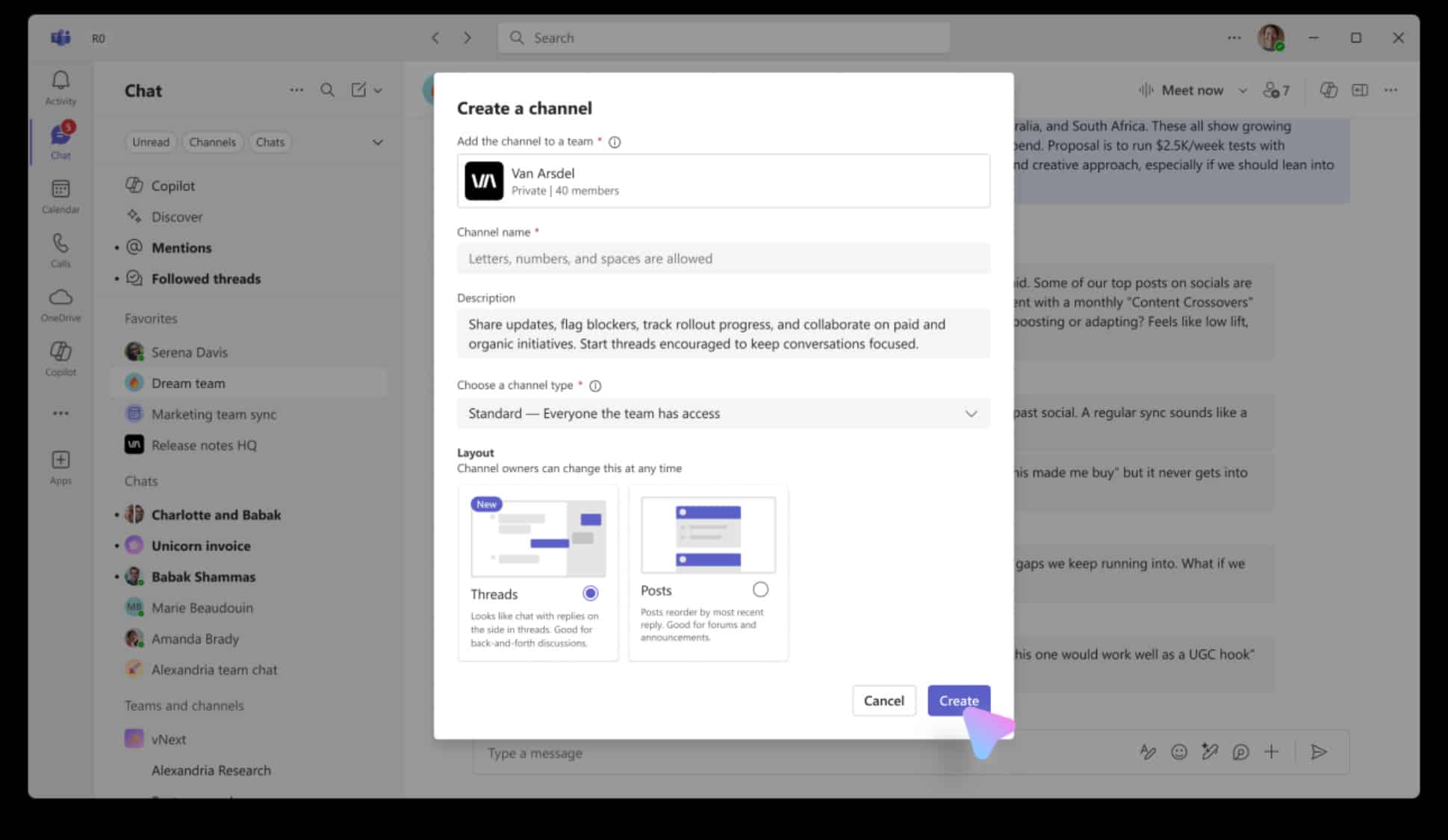
If you have proper permissions, convert an existing channel from posts to threads by going to the channel, select More options > Manage channel. If you want to create a new channel, you can create a new channel and make sure to select the “Threads” layout:
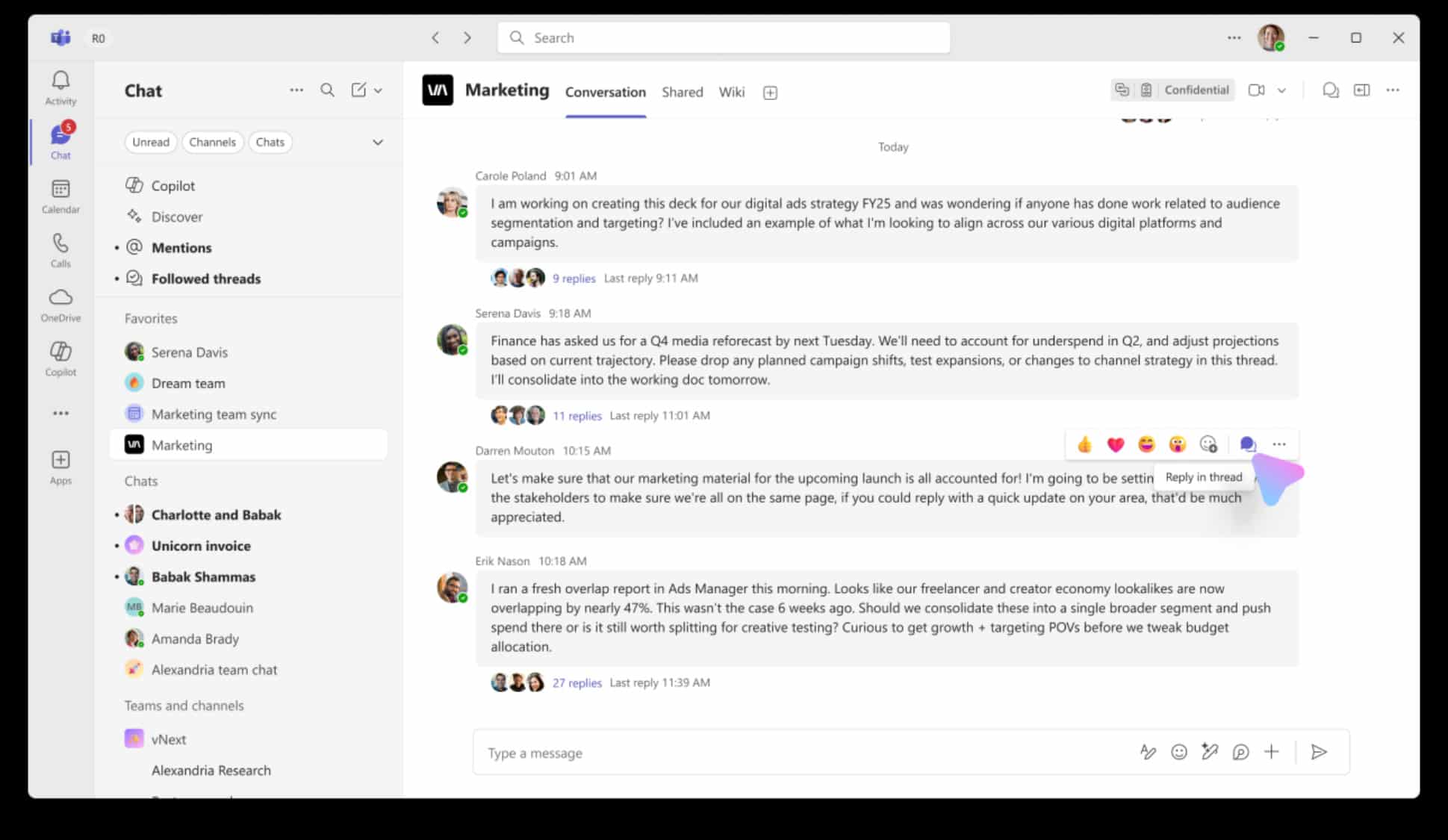
Now when you see a post in the channel, you can reply to that post in a thread by clicking on the little conversation bubble icon:
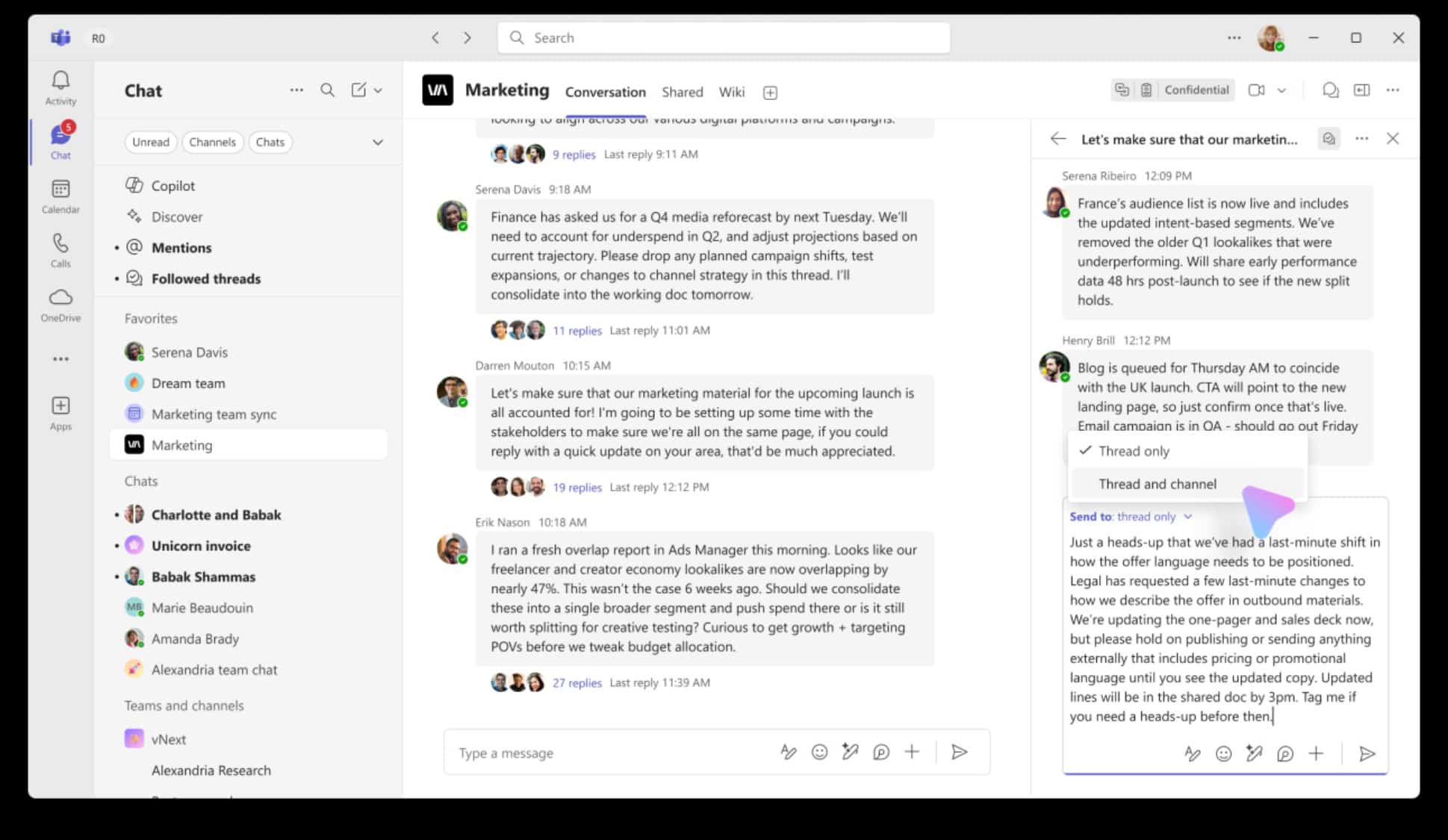
And then post your reply. Your reply can go just to that thread or both to the thread and to the channel:
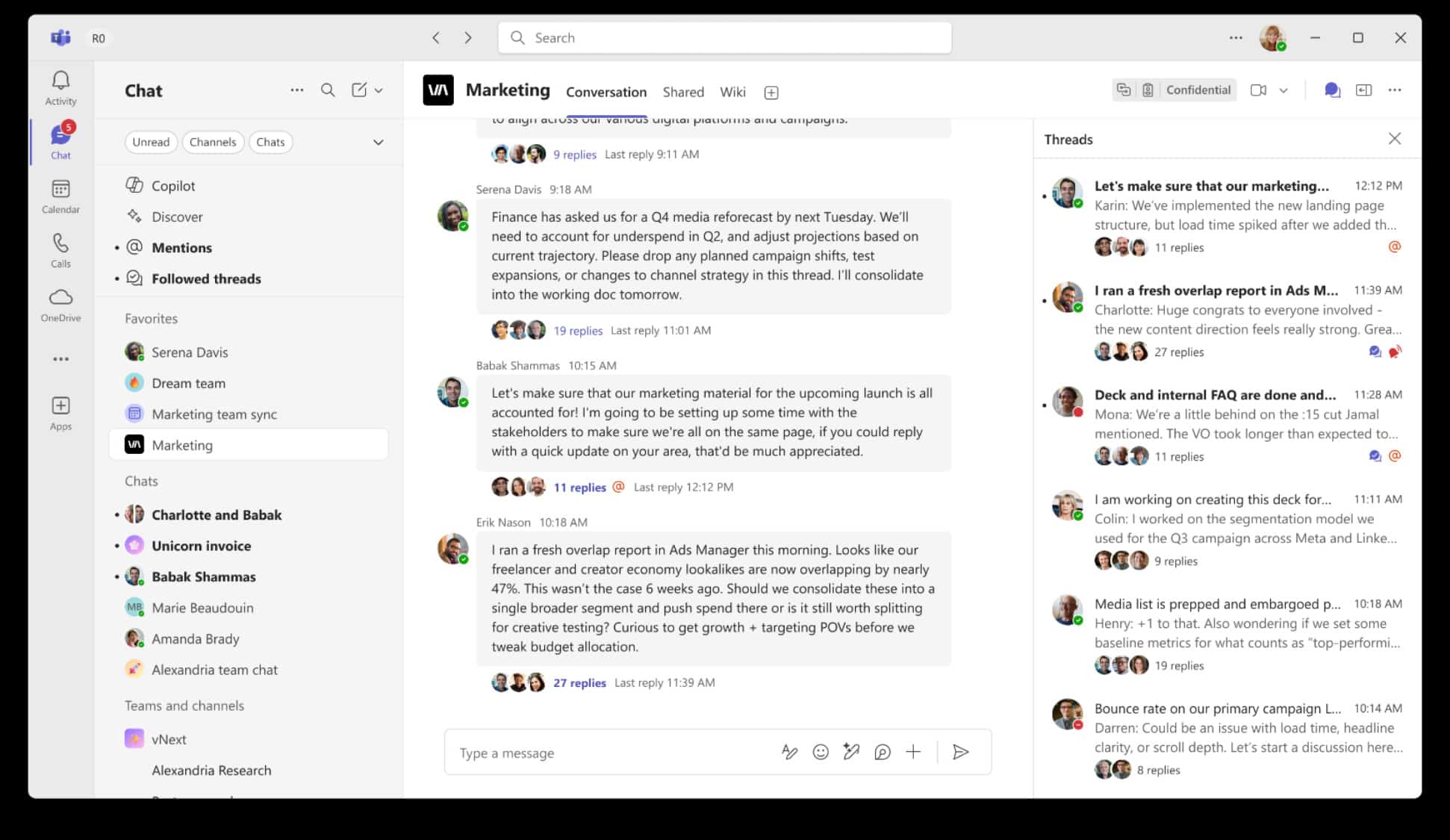
You can access all threads in a channel by clicking on the thread icon in the upper right of the channel. Once you click on that icon, you’ll see a list of the threads in a given channel so you can dive into a specific conversation:
While Thread-based channels might be right for some types of channels and not for others, this customization option allows you to setup Teams how you like it and however works best for your team.
This feature is supposed to start rolling out in mid-August. Meanwhile, Microsoft has handy PDF document showing all the new features as well as a best-practices and FAQ document.