

You’re probably familiar with hiding complete columns and rows in Excel. But what if you just want to hide the numbers in a specific cell (without removing the data) either for presentation purposes – say the bar graph associated with it or the conditional rule in use is far more effective without the numbers over the top – you can do that fairly easily. Here’s how you do it.
So in our case, we just want to hide numbers since the accompanying bar graph is doing a better job of conveying the information than the numbers. Yes, we could hide the whole column, but this allows us to easily change the data if need be as well.
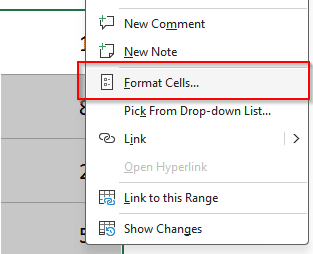
Highlight the cells that have the numerical data you want to hide, right-click and go to “Format Cells…”
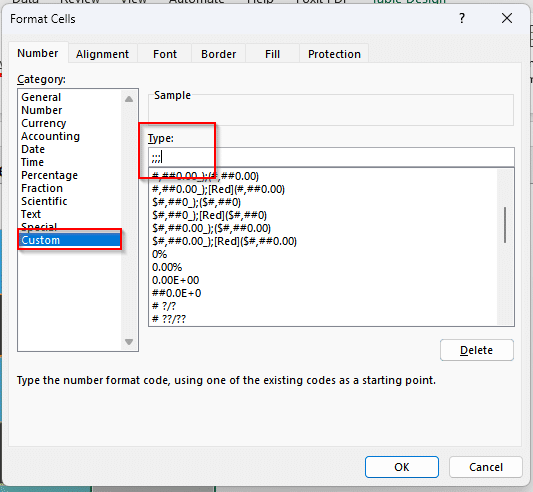
On the “Number” tab, click on “Custom” and type ;;; (three semi-colons) into the “Type” field:
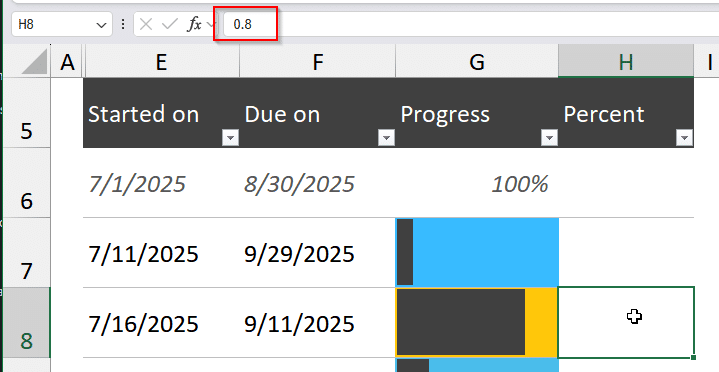
After you hit OK, the numbers in the cells will disappear, but the values will still be there so they can still be edited:
Hat tip to How To Geek for this tip (who also has some better examples of this tip using heat maps).