
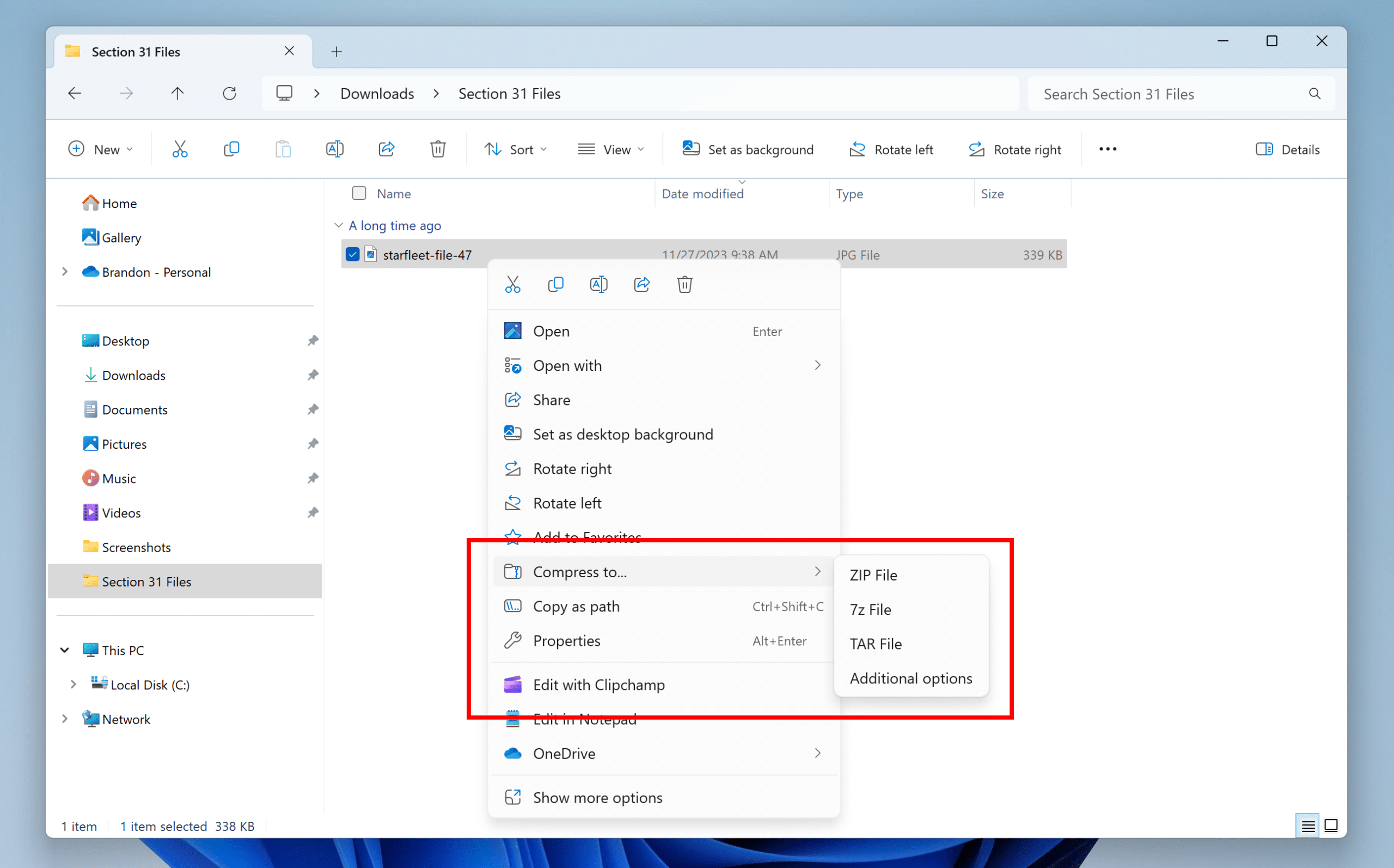
 Data compression has been used for saving storage space and bandwidth for many years. On PCs, the ZIP file format has been the primary format of choice for compressing and sharing of files for many years. You can use ZIP file compression to compress a bunch of files into a singular, smaller file, making files much easier to download and transfer. It’s a great technology when used properly. ZIP technology has even been used in Microsoft Office documents for years to help save space in its documents.
While third party programs have been able to work with ZIP formats for longer, Windows has supported ZIP files (basically as compressed directories of files) since at least Windows XP. While the format is easy to work with and is supported nearly everywhere, it has some issues with larger files and there are other compression algorithms out there for various systems and uses (including 7-Zip, TAR, and RAR file formats). You previously had to use third-party software to interact with those files (like the open-source 7-Zip software or the proprietary WinRAR software). In 2023, Windows 11 gained the ability to read from those files, but could still only write to ZIP. Now you have the ability to compress to and create ZIP, 7-Zip and TAR files (still no RAR files as it’s a closed format). This will allow you to choose the file format that works best for you and who you might be sharing the files with or what your storage needs are (as 7-zip usually can compress better, but TAR is usually more useful for Unix-like environments (Linux, BSD, etc…).