How to set up Two Factor Authentication for Dropbox
Two-step verification is an optional but highly recommended security feature. Once enabled, Dropbox requires a six-digit security code or a security key in addition to

Two-step verification is an optional but highly recommended security feature. Once enabled, Dropbox requires a six-digit security code or a security key in addition to
How to set up your Google account with two-step authentication Google’s experience with two-step authentication makes it a remarkably simple process to set up. Here’s
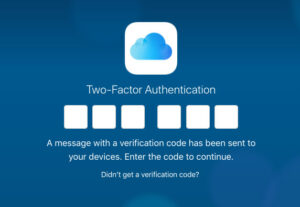
Two Factor Authentication for iCloud To begin, open up System Preferences | iCloud. In the resulting window, click Account Details and (when prompted) enter the
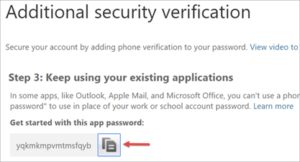
Set up multi-factor authentication in the Office 365 admin center Go to the Office 365 admin center. Navigate to Users> Active users. In the Office 365 admin center,
Passwords have evolved a lot over the years, from the legendary “open sesame” to a secret knock with “Lenny sent me” to get you into a private poker game. But one thing has not changed, it
Trying to setup a hosted Avaya solution on Fortinet but having issues? If you have worked with firewalls in the past, you may be familiar
It seems we are sending these emails much too often these days, but yet another set of vulnerabilities have been found affecting basically every computer
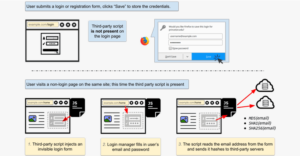
The Exploit Security researchers have uncovered how marketing companies have started exploiting an 11-year-old bug in browsers’ built-in password managers, which allow them to
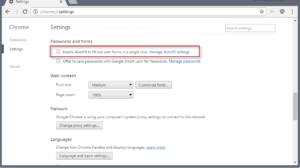
There is a browser exploit that can steal your auto-fill saved passwords. Read below to see how to disable and clear Autofill. Warning: make sure

As we bid adieu to 2017 and jump into 2018, we’d like to look back on the year at Weston. Specifically, we want to look