

Have you always wondered why when you’re looking at your drives in your file explorer in Windows and wondered why your main drive is tagged as letter C:? What happened to drive A or B? Old school nerds like us may know why. But for folks who aren’t as nerdy as us, let’s take a quick trip down memory lane.
Decades ago, computers didn’t have hard disks like they do today – they had soft disks, aka floppy disks. The little “save” icon you see in your favorite app? That was likely modeled after the floppy disk. Here’s the app:
And here are floppy disks in real life in a variety of sizes:
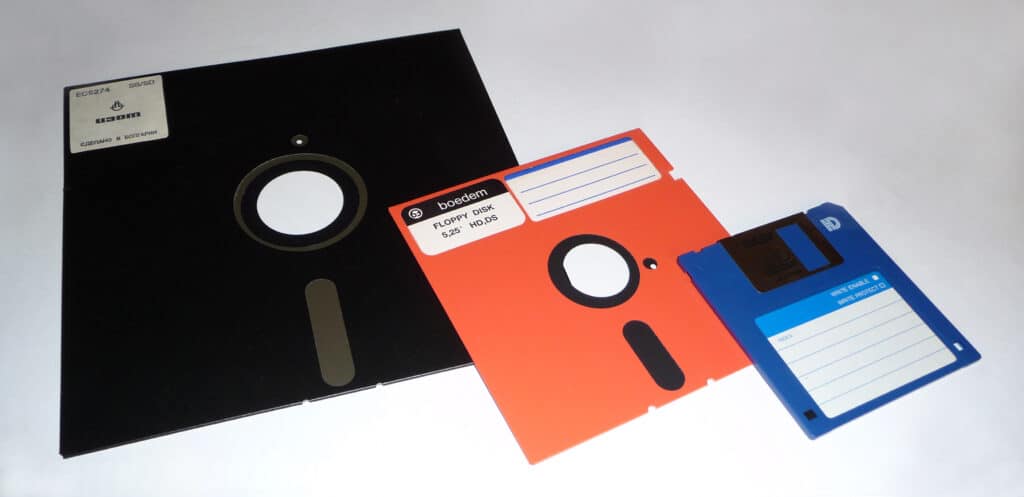
PCs of yesteryear used to run on these disks, and they’d frequently have two drives with a disk in each – on would usually run the operating system, and one would be for storage. They were assigned drive letters A: and B:.
When software and operating systems grew bigger, they outgrew the largest capacity floppy disks at the time. So hard drives were then used for storage and operating systems. Hard drives were given the “C:” label since A: and B: were for floppies.
When you could buy computers back in the day with floppy drives, hard drives, and CD drives, you’d typically see your floppy drives labeled A/B:, your system hard drive labeled C: and your CD drive labeled D:.
Eventually, floppy disks faded away. Their small capacity for removal media was supplanted by newer technologies like CDs, DVDs, USB thumbdrives, media cards, etc…, so you won’t see floppy drives on computers anymore (and you’re gradually seeing fewer computers with CD/DVD drives on them). You can still buy USB floppy drives if you need to access old floppy disks.
However, legacy software still exists, and Windows 11’s underpinnings still have a lot of the old school DOS compatibility (including old-school 8.3 filenames). And because of that assumption that C: is always the primary system hard drive on the computer, many legacy applications are going to panic if the system drive is anything other than C:. Since Windows works really hard to maintain backwards compatibility as much as possible, the C: drive is not going away.
All that being said, you can still use drive letters A: and B: for other uses. You can use the Windows Disk Management tool and you can change non-system drives to use them. Just don’t try to assign the C: drive to something else. It will likely make your system grumpy.