

We mentioned recently that Windows 10 is going to be end of support next year and that you’ll need to move to Windows 11 going forward. One of the biggest gripes people had with Windows 11 was the dramatic change of putting the start menu in the center of the taskbar on the bottom of your screen instead of its usual place on the bottom left. Thankfully, that’s an easy fix. Here’s how you do it.
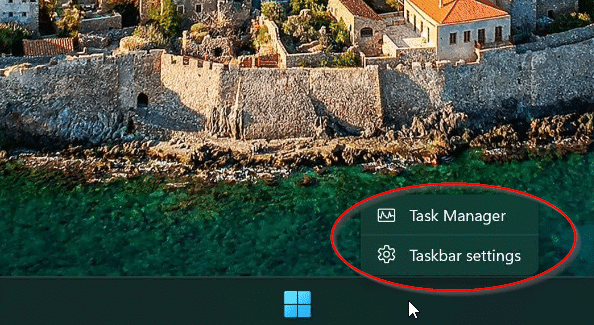
First, right click on the taskbar and select Taskbar Settings:
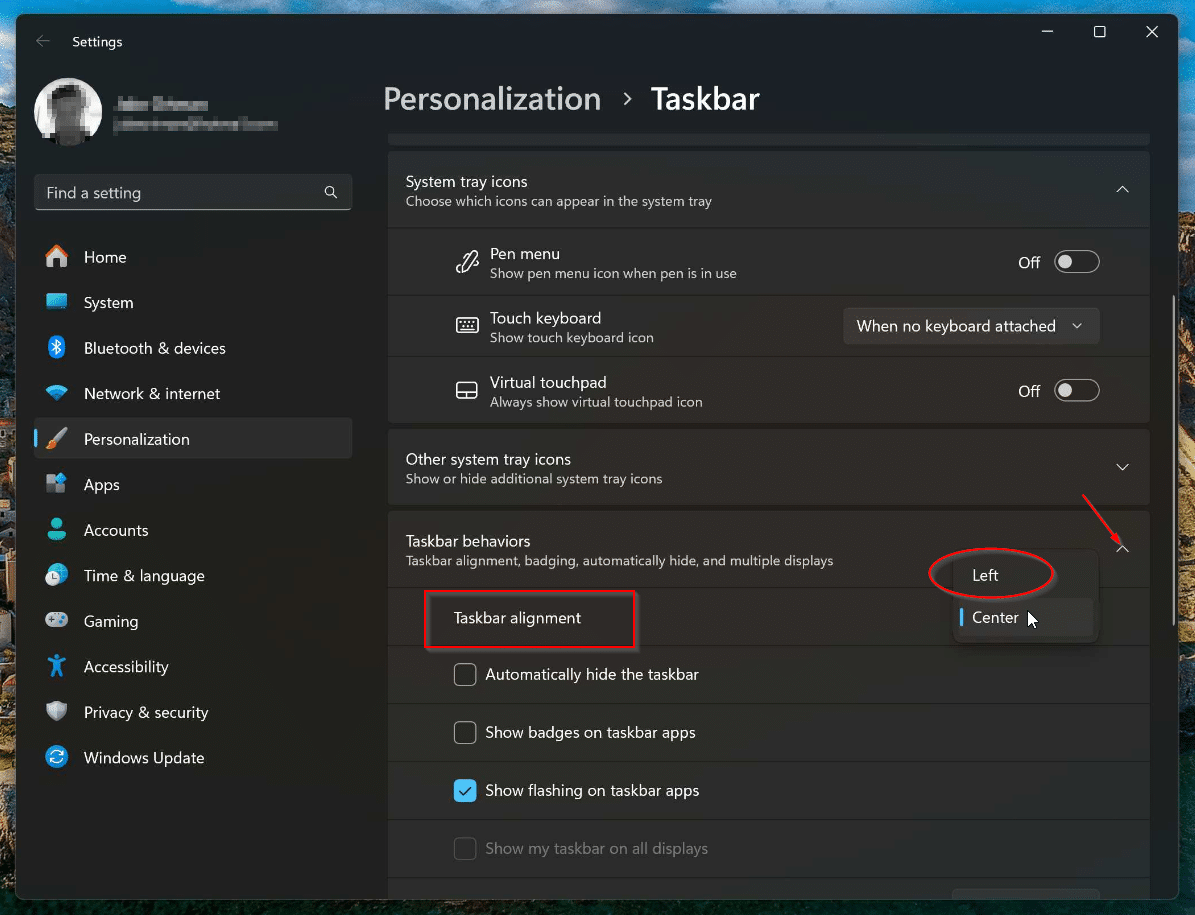
Scroll down to the “Taskbar Behaviors” drop-down and click on it. Then on the “Taskbar Alignment” menu, select “Left”.
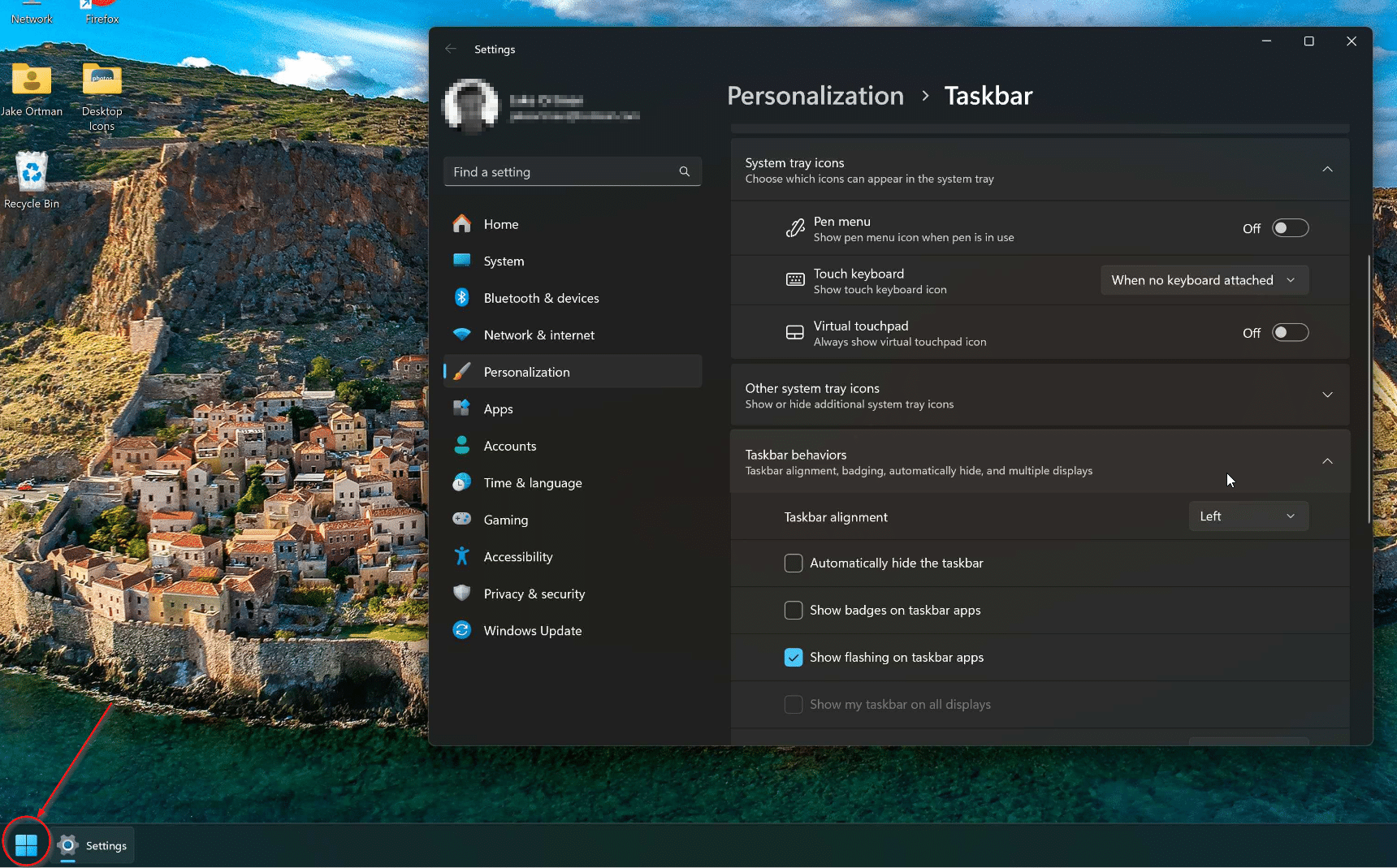
Once you do that, the Start menu will move back over to the left side, just like nearly every previous version of Windows.
If you’re more of a video learner, here’s a quick video from PC World for you:
If you want to go all-in on getting a Windows 10 (or even Windows 7 or 8) look and feel back to your Windows 11 system, there are tools like StartAllBack that will allow you to do all sorts of customizations (with only a $5 licensing fee for commercial use, minimum 10 machine purchase).