
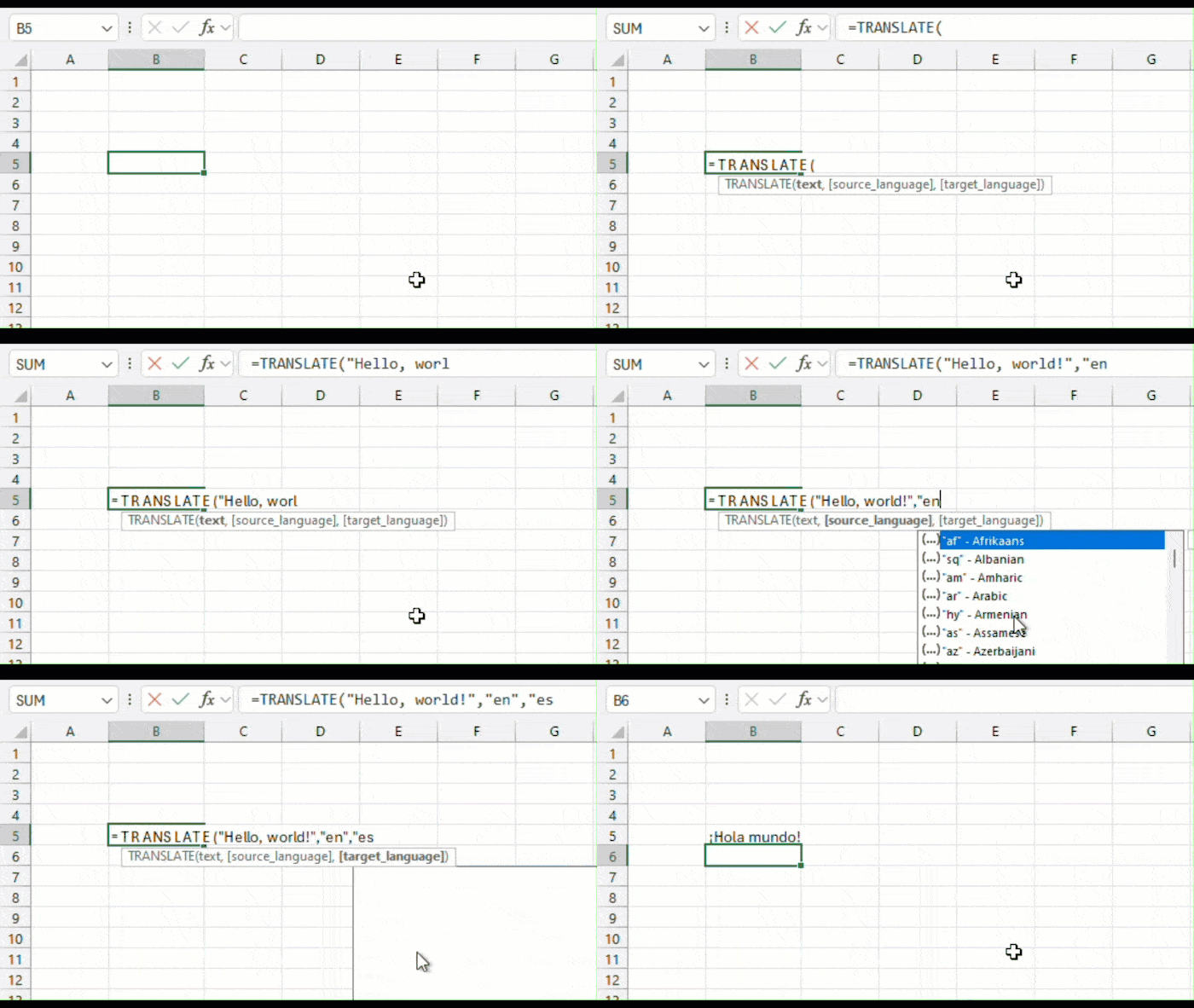
Excel is introducing two additional functions to help break down language barriers and make things easier to handle and workflow. TRANSLATE and DETECTLANGUAGE are in currently part of the Office Insiders program so it’s on a gradual roll out.
The two new functions work pretty simply:
- TRANSLATE() – a function that translates a text from one language to another. Format is like so:
TRANSLATE(text, [source_language], [target_language]) - DETECTLANGUAGE() – a function that detects the language of the specified text. Format is thus:
DETECTLANGUAGE(text)
The service is powered by Microsoft’s Translation Services and supports over 100 languages.
But really, you just need to see it in action, and this video from MrExcel shows it doing its thing quite well:
These functions are currently available to Beta Channel users running:
- Windows: Version 2407 (Build 16.0.17808.20000) or later
- Mac: 16.87 (Build 24062430) or later
There is currently no ETA as to when it will be generally available.
Image courtesy Microsoft.